Moon phase
Type moon_phase · needs the internet.
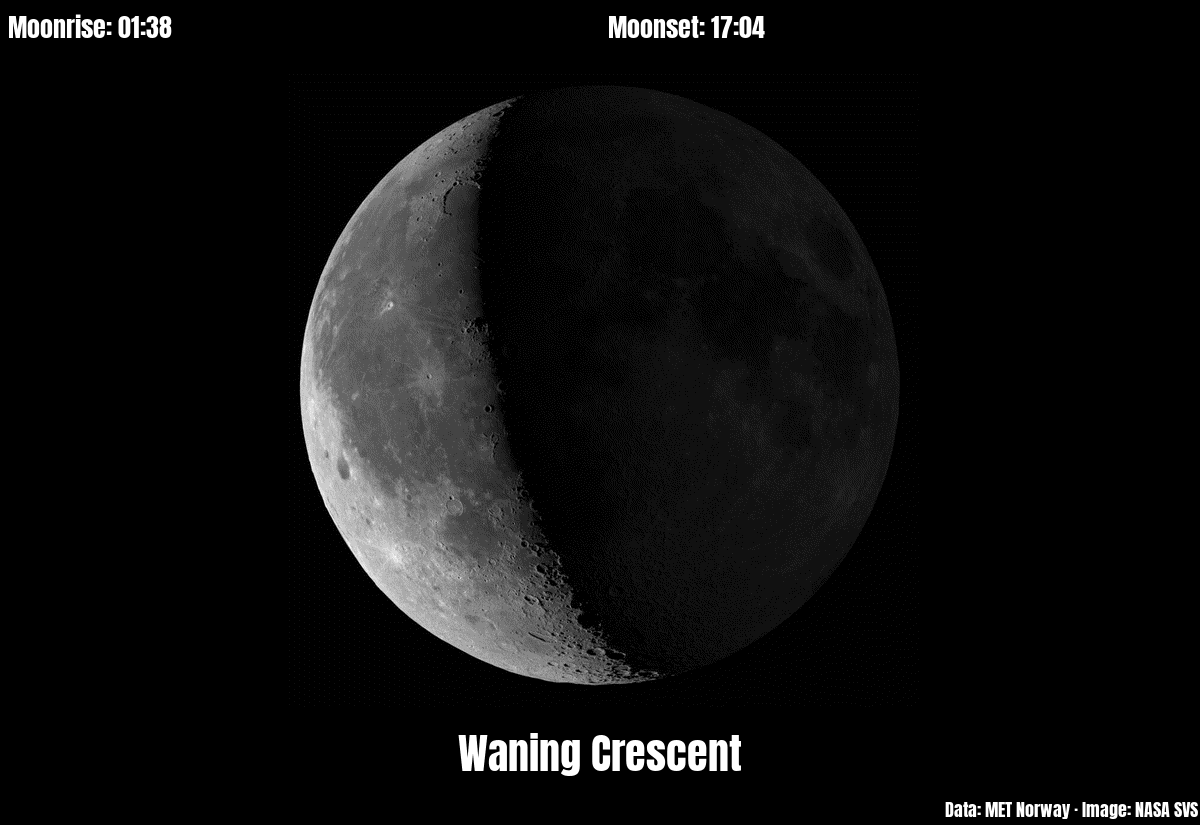
Today's moon: a picture of its phase, the name of the phase ("Waning Crescent"), and the times it rises and sets at your place. White on black, like the night sky.
The data comes from met.no (the Norwegian Meteorological Institute), from its free sunrise service, which works for places all over the world. Times are shown in the Pi's own time zone.
The picture
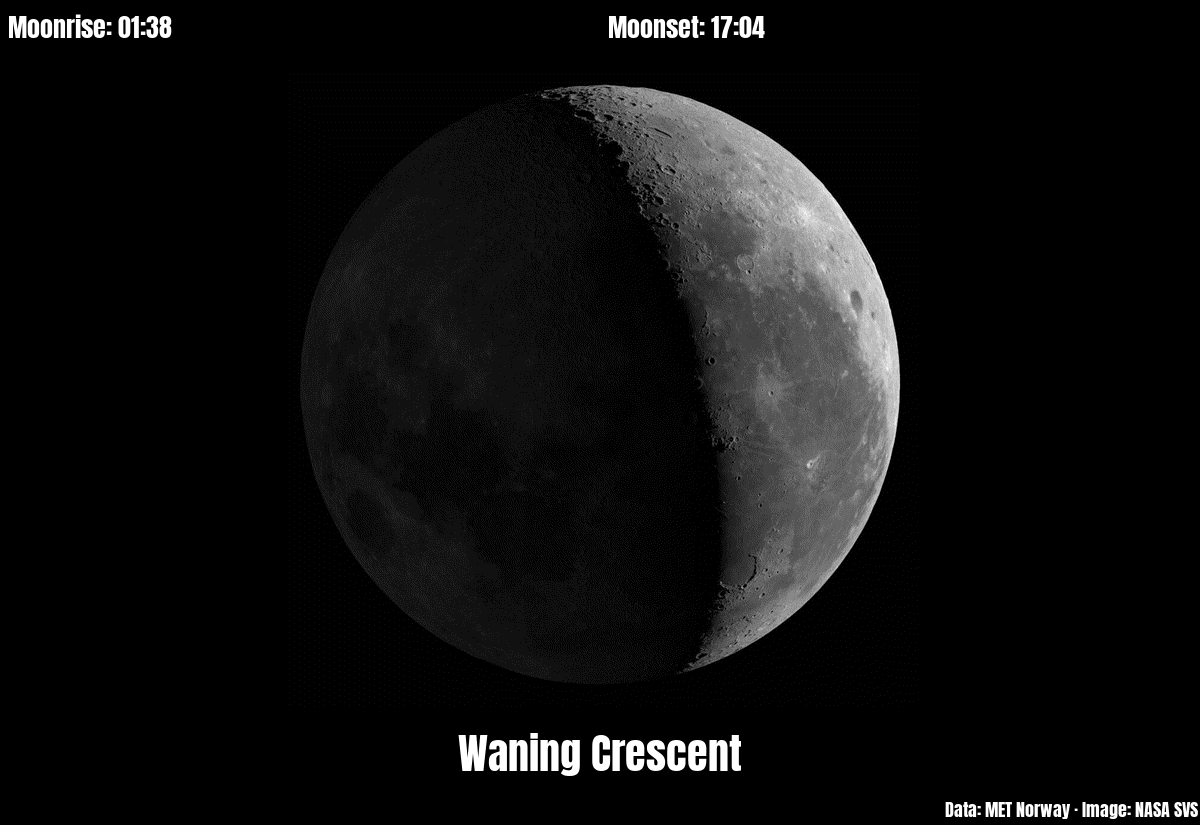
The picture is one of 201 pictures of the moon made by NASA's Scientific Visualization Studio (SVS 4955, "Moon Phase and Libration, 2022"). They are not photographs: a computer made them from the measurements of NASA's Lunar Reconnaissance Orbiter, a spacecraft that has mapped the moon's surface since 2009. There is one for every 1.8° of the phase, from the first full lunar month of 2022 (2 January to 1 February). The plugin shows the picture whose phase is nearest to today's (exactly halfway between two, the later one). The pictures show the moon as seen from the northern half of the earth. South of the equator (lat below 0) the moon looks upside down, so the picture is turned by 180°.
The phase is met.no's phase angle, in degrees: 0 is new moon, 90 first quarter, 180 full moon, 270 last quarter. New moon, the quarters and full moon are moments; their name is shown for about a day around them (6° on each side). In between, the names are Waxing Crescent, Waxing Gibbous, Waning Gibbous and Waning Crescent. Waxing means the lit part grows from day to day (from new moon to full moon), waning that it shrinks again. Crescent means less than half of the moon is lit, gibbous more than half.
On a day the moon doesn't rise or set (this happens about once a month, because the moon rises about 50 minutes later every day), the time shows "none".
How often it asks met.no
met.no gives one answer per place and day. The plugin saves it in its storage folder (PaperPi's own folder for this plugin's files, /var/lib/paperpi/plugins/<id>/, where <id> is made from the plugin's id in the config file: id = "moon_phase-0df54c14" gives moon-phase-0df54c14) and asks again only on the next day, or after a change of lat or lon. If met.no can't be reached, the update fails as usual and PaperPi tries again at the next update. It sends your email address (only to met.no) as contact and rounds the coordinates to 4 decimals, as met.no's terms of service ask.
Layouts
| Layout | Shows |
|---|---|
moon_data (default) |
moonrise and moonset on top, the moon, the name of the phase, and "Data: MET Norway · Image: NASA SVS" small at the bottom |
moon_only |
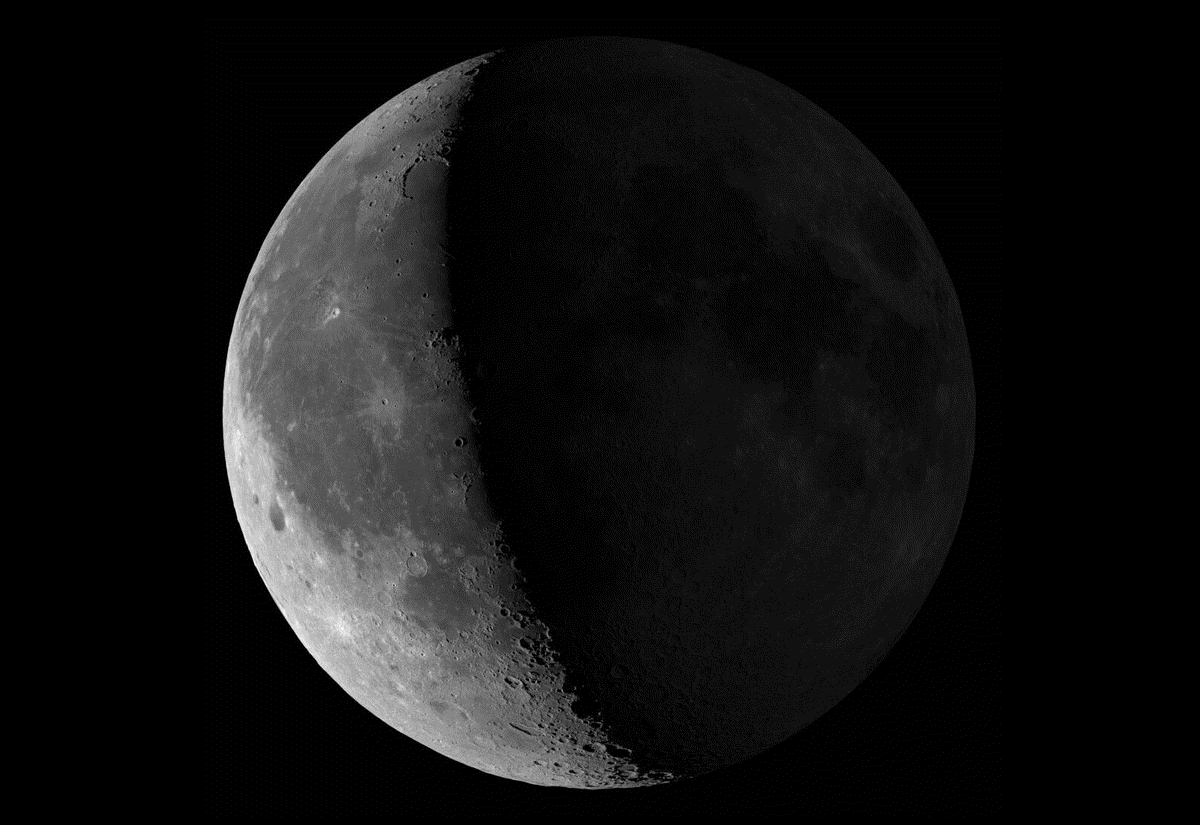
the moon only, as large as fits |
Settings
| Setting | Default | Meaning |
|---|---|---|
lat |
none, required | latitude of the place, e.g. 52.52 |
lon |
none, required | longitude of the place, e.g. 13.40 |
email |
none, required | your own, real email address, sent only to met.no. met.no's terms of service require contact details from every program, so it can ask before blocking one that misbehaves |
You don't have to look up lat and lon yourself: on the plugin's settings page in the web interface, type the name of a town or city just above lat (e.g. Addis Ababa, or Morrison, Colorado when several places share a name), press Search, and Use next to the right place fills in both (Save keeps them). The search sends only the typed name to Open-Meteo (place data from GeoNames).
It suggests a refresh every 20 minutes.
In the config file (every other setting is in the settings reference):
[[plugin]]
id = "moon_phase-0df54c14"
name = "Moon"
type = "moon_phase"
lat = 52.52
lon = 13.40
email = "you@example.com"   # put your own, real address here
layout = "moon_only"   # optional; without it: moon_data
Try it without a screen: uv run paperpi render moon_phase (sample data), or with real data: uv run paperpi render moon_phase --live --set lat=52.52 --set lon=13.40 --set email=you@example.com (put your own address in place of you@example.com). If lat, lon or email is missing, the plugin is not shown; the config check and paperpi list say which one.
The moon data is from MET Norway, under the Creative Commons Attribution 4.0 International licence (CC BY 4.0): anyone may use the data, as long as they say where it came from. The moon_data layout shows "Data: MET Norway", as the licence asks. The moon pictures are by NASA's Scientific Visualization Studio (credit: NASA's Scientific Visualization Studio). NASA's pictures are generally not protected by copyright in the United States and may be used freely, as long as NASA is credited and the use does not suggest that NASA endorses PaperPi (NASA's media usage guidelines). They are the same files as in PaperPi v1. The font is Anton, under the SIL Open Font License (fonts/Anton-OFL.txt), in PaperPi's shared fonts folder.
All settings
Made from the plugin's code, so always up to date.
| Setting | Default | What it does |
|---|---|---|
lat |
required | Latitude of the place, e.g. 52.52 (required) |
lon |
required | Longitude of the place, e.g. 13.40 (required) |
email |
required | Your own, real email address, sent only to met.no (their terms of service ask for one) (required) |
Its suggestions for settings every plugin has (a block that sets one of them uses that value instead):
| Setting | Default | What it does |
|---|---|---|
refresh |
1200 |
Seconds between updates (at least 5). Leave it out to use the plugin's suggestion |
level |
"rotation" |
When it is shown: alert, interrupt or rotation. Leave it out to use the plugin's suggestion |
layout |
"moon_data" |
Which layout (see the plugin's page). Leave it out to use the first |
storage_mb |
500 |
Most megabytes this plugin may keep in its storage folder; over it, the files changed longest ago are removed first. Leave it out to use the plugin's suggestion |
storage_days |
30 |
Files the plugin has not changed for this many days are removed (0 = keep them). Leave it out to use the plugin's suggestion |
Sample images
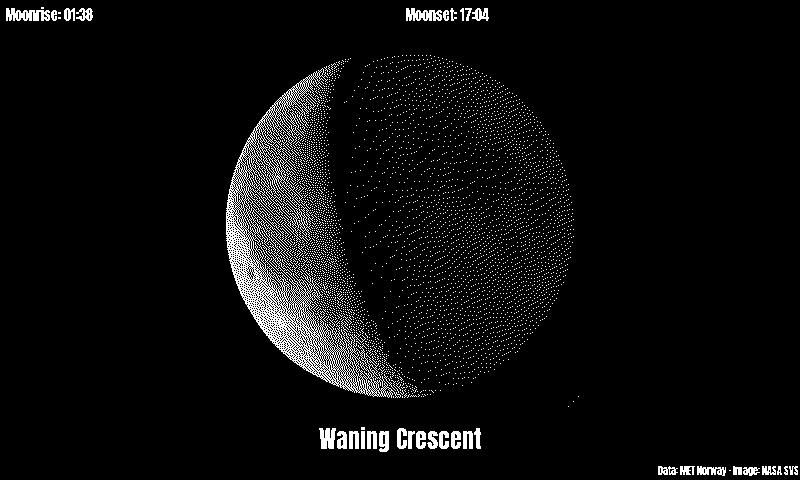
The sample data is met.no's real answer for Berlin on 6 October 2026: a waning crescent, rising at 01:38 and setting at 17:04. All sample images are in tests/images/, named moon_phase-<layout>[-rio]-<screen>.png, where <screen> is 9in7 (9.7", 1200x825, 16 grays), 7in5 (7.5", 800x480, black and white) or 5in65 (5.65", 600x448, 7 colours). rio has lat set to Rio de Janeiro's, so the picture is turned (the times are still the sample's, from Berlin).
moon_data |
moon_only |
moon_data, south of the equator |
moon_data, 7.5" black and white |
|---|---|---|---|
 |
 |
 |
 |